The latest version of the Perfect Diet Tracker is always available for download from the main Perfect Diet Tracker website at
Versions of the software are available for Microsoft Windows, Apple Mac OS X and Linux platforms, with a full 7-day trial available.
Do you have the latest version?
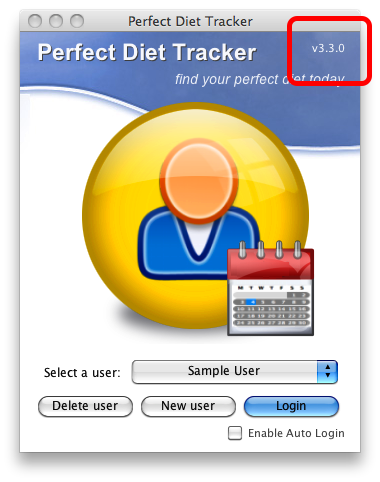
If you have the Perfect Diet Tracker installed it is easy to check to see if you have the latest version and if any updates are available.
The current version number is always shown on the login screen at the top right. If you are connected to the internet simply click on the version number and the software will check to see if there are any updates available.
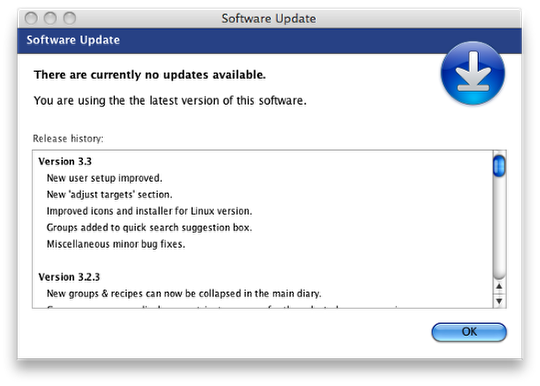
Alternatively, you can also log into your user diary, then select the ‘Help’ menu and pick the ‘Check for updates’ option.
A new screen will appear and let you know if there are any updates available, and what has changed.
My version of PDT does not have a “Check for Updates” option under the “Help” menu item. The “Help” menu includes only “Online Help” and “Support.” Also, my version of PDT is 3.6.3 but your downloads page says the latest version is 3.6.2, so why do I have 3.6.3 and am missing the Check for Updates option?
Hi Alan,
Do you have a Mac, and did you purchase the app through the Mac App Store?
If so, that will be why! The Mac App Store takes care of their own update checking, and you should download and install any updates through the store to ensure they are fully registered.
The Mac App Store versions may also be slightly out of sync with our own site as small modifications may have been made for the store, hence the additional version number.
Hi — I started putting an update on my computer (Macbook Air). Your update is stuck. It says “Removing old Files” I know I’m not supposed to stop it, but it has been sitting in one place for an hour. What do I do about this?
Can we check, are you updating using the Mac App Store Linda? We would suggest you restart your Mac, then try the update again as this may reset the App Store application and remove any locked files.
Trying to upgrade from v 3.67 to 3.72 I get the error code 5 delete file failed. I hit retry a couple of times but still got same message. What now (Windows 7)I did restart and tried it again but same results
We are sorry to hear you are having problems upgrading, the error message you have sounds like a file is locked on the system and you are correct in that normally a reboot would correct this.
However, as it is not we would suggest you log into the existing Perfect Diet Tracker and create a backup using the option in the file menu, then uninstall the software from your PC, then restart your PC and finally install the newer version. As your data is held in a different folder it should not be affected, but you will also have a backup in case there are any unforeseen problems.
I had this on my Mac. I now have a Dell…can I download this on my new computer? I really miss it!!
Yes you can! Just head over to the download section and download the Windows version for your Dell. You can register it with the same code you used for your Mac to access the fully registered version.