Perfect Diet Tracker | Windows screenshots

Microsoft Windows Screenshots


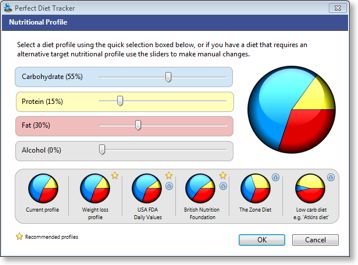
The following screenshots were taken in version 3 of the Perfect Diet Tracker using Windows XP.

The Perfect Diet Tracker has been tried and tested with Windows 98, ME, XP, Vista and Windows 7. Screen shots may vary slightly between different versions of Windows.

stacks_image_FB3067E6-11FD-4BED-B518-B62485CEA7E2

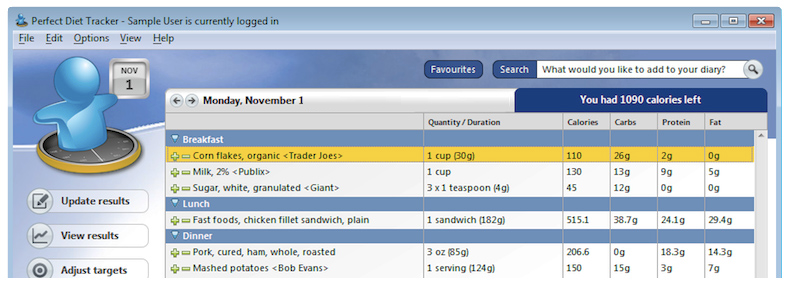
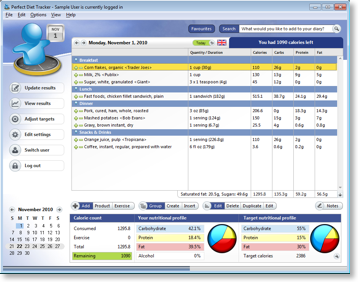
The main food diary

stacks_image_79C0F665-03B5-4458-B601-9E6B799B0F66

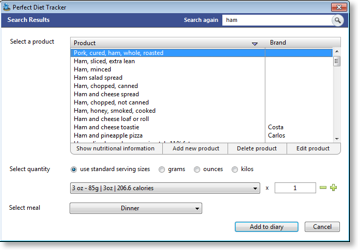
Search for a food product in the extensive database.

stacks_image_A792DCE2-523C-45F0-90C4-5BC94F4812A6

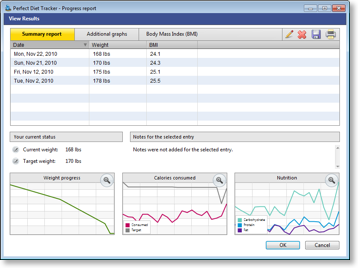
Detailed tracking of your progress, daily intake, nutrition and more

stacks_image_1BB1D6B1-42D1-4069-86B3-2A32659CAB83

Add exercise / activity from database

stacks_image_8FEF44F5-32FC-42BE-A6EA-E43C5DAC0508

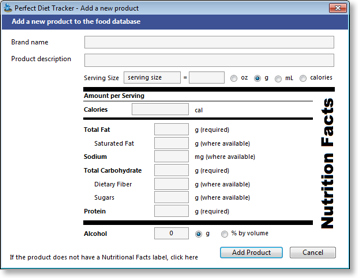
Add a new food product to the database (Global)

stacks_image_2F88A2F1-F82E-4616-A273-E948477AAAC0

Add a new food product to the database (US & Canada)

To view more screenshots of the Perfect Diet Tracker for Windows, why not download the free trial version?

Current customers


Check you have the latest version or request a replacement key.
Upgrade your diet software
Request a new activation code
News & articles

Do you have any suggestions for improvements?
Contact us

Can we help?


Visit our online help section to view frequently asked questions and answers.
Online software help & support
Getting started with the diet tracker
Using the daily diary
Monitoring your weight loss
Bookmark and Share